


Request a Quote
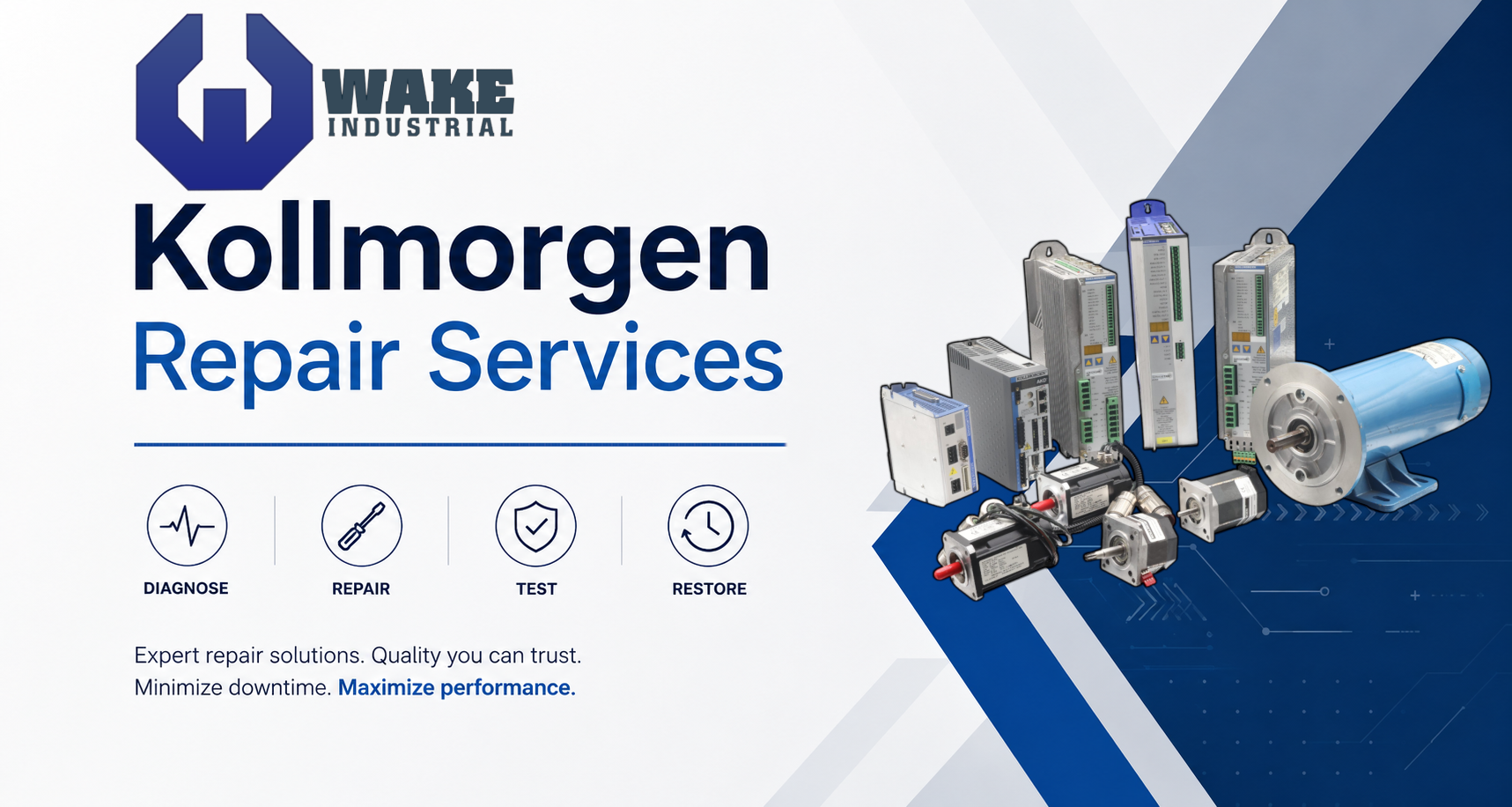
Kollmorgen Repair Services for Servo Drives, Servo Motors, Controls, and Motion Components
Wake Industrial provides Kollmorgen repair, replacement, and refurbishment services for industrial motion control systems. If your Kollmorgen drive, motor, amplifier, controller, or related automation component has failed, our team can help you reduce downtime with repair evaluation, replacement sourcing, and tested surplus options. Kollmorgen products are commonly used in packaging equipment, CNC machinery, robotics, material handling systems, printing equipment, medical manufacturing, and other high-demand automation environments. When a fault appears on a Kollmorgen AKD, S700, SERVOSTAR, AKM, AKM2G, or related motion component, production can stop quickly. Wake Industrial helps maintenance teams and buyers identify the failed unit, quote repair or replacement options, and get equipment moving again.
To request a quote, call 1-919-443-0207 or email sales@wakeindustrial.com with your part number, fault code, and a short description of the issue. You may also click HERE to use the quote form on this page.
Wake Industrial supports a wide range of Kollmorgen motion control products, including newer and legacy product families. Whether you are dealing with a current AKD servo drive or an older SERVOSTAR unit that is difficult to replace, we can help determine whether repair, refurbishment, or replacement is the best path forward.
Product Family | Product Type | Common Repair Concerns |
Digital servo drives | Feedback faults, bus voltage faults, overtemperature, output overcurrent, communication issues | |
Multi-axis and single-axis servo drives | Drive faults, power stage failure, encoder issues, fieldbus communication problems | |
High-performance servo drives | F-code faults, internal voltage errors, brake circuit issues, phase loss, overheating | |
Legacy servo amplifiers and drives | No output, display faults, power supply failure, communication loss, intermittent startup | |
Brushless servo motors | Overtemperature, brake failure, winding damage, feedback failure, bearing wear | |
Synchronous servo motors | Feedback issues, insulation failure, connector damage, brake problems, mechanical wear | |
Brushless servo motors | Encoder faults, worn bearings, thermal trips, cable/connector damage |
AKM Synchronous Servo Motors – Common Issues & Fixes
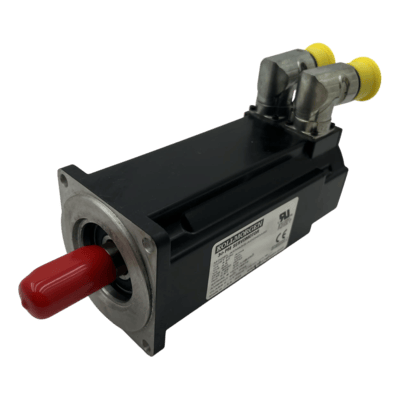
When to Call for Motor Repair: If you continue to experience motor-related faults after addressing wiring, cooling, and configuration issues, the AKM motor itself might be at fault. Symptoms like a persistent overtemperature trip or output stage fault often indicate internal problems (burnt windings, demagnetized rotor, sensor failures, etc.). In such cases, professional diagnosis is recommended. Wake Industrial offers expert servo motor repair and refurbishment. Rather than scrambling to find a brand-new motor (which can be costly or backordered), a refurbished Kollmorgen AKM motor from Wake Industrial can often solve the problem quickly and cost-effectively.
Kollmorgen’s AKM family of brushless synchronous servo motors are widely used for their reliability and high dynamic performance. The motors themselves don’t display error codes, but when an AKM motor has a problem, the connected servo drive will usually register a fault code indicating a motor-related issue. Here are some common AKM motor fault conditions and how to diagnose and fix them:
Drive Fault | Description | Likely Cause | Recommended Action |
S700 F06 / AKD F301 | Motor overtemperature | Motor overload, poor cooling, blocked airflow, failed thermal sensor, excessive duty cycle | Let the motor cool, reduce load, improve cooling, and check whether the fault returns under normal operation |
S700 F15 / AKD F524 | Motor or drive overload | Load is too heavy, axis is binding, duty cycle is too aggressive, motor/drive is undersized | Inspect the mechanical load, reduce duty cycle, review motion profile, and check for repeated thermal stress |
S700 F04 / AKD F401 | Feedback or encoder fault | Damaged feedback cable, loose connector, wrong feedback setting, failed encoder or resolver | Inspect feedback wiring, verify configuration, reseat connectors, and evaluate the motor feedback device |
S700 F12 / AKD F525 | Motor phase or output current fault | Open phase, shorted motor lead, cable damage, connector issue, internal winding problem | Inspect motor power wiring, test the cable, check the motor winding, and repair or replace damaged components |
S700 F11 / AKD F305 | Motor brake fault | Open brake coil, shorted brake circuit, wiring issue, brake not releasing | Check brake wiring, verify brake voltage, test the brake coil, and inspect the motor brake assembly |
Professional S700 Drive Repair or Replacement
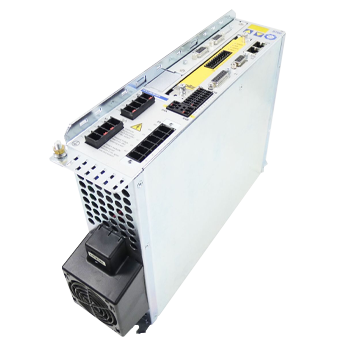
Many S700 faults can be resolved by the above adjustments or by replacing external issues (like cables or adding a braking resistor). But as noted, some faults (such as F07 or F14) indicate deeper hardware problems that simple troubleshooting cannot fix. If you’ve attempted the recommended fixes and the error still won’t clear, or if the same fault keeps returning frequently, it’s a clear sign the drive may need professional attention. In these cases, you should consider sending the drive for repair or getting a replacement unit to avoid prolonged downtime.
The Kollmorgen S700 (Servostar 700 series) servo drives are advanced digital drives designed for complex industrial applications. They include built-in diagnostics and will display error codes prefixed with “F” (fault) or “n” (warning) on the front panel LED display when issues occur. Fault codes (F##) indicate critical errors that stop drive operation, whereas warning codes (n##) denote non-critical issues. Below we outline common S700 fault codes, their typical causes, and recommended fixes:
Fault Code | Description | Recommended Action |
F01 | Heat sink overtemperature | Improve cabinet cooling, clean airflow paths, and reduce continuous load |
F02 | DC bus overvoltage | Check braking resistor, lengthen decel ramps, and verify incoming voltage |
F03 | Following error | Check for mechanical binding, overload, poor tuning, or incorrect motion profile |
F04 | Feedback fault | Inspect feedback cable, connector, grounding, shielding, and feedback configuration |
F05 | DC bus undervoltage | Check mains voltage, fuses, contactors, and incoming power stability |
F06 | Motor overtemperature | Reduce load, improve motor cooling, and inspect the motor temperature circuit |
F07 | Internal voltages fault | Remove external shorts and send the drive for repair if the fault remains |
F08 | Overspeed | Check tuning, speed command, feedback integrity, and velocity limits |
F09 | EEPROM checksum error | Reload parameters from backup and evaluate the drive if the error returns |
F11 | Brake fault | Check brake wiring, brake voltage, and motor brake operation |
F12 | Motor phase missing | Inspect motor power wiring, connectors, and phase continuity |
F14 | Output stage fault | Check motor leads for shorts and send the drive for repair if the fault persists |
Kollmorgen AKD Servo Drives – Fault Codes & Solutions
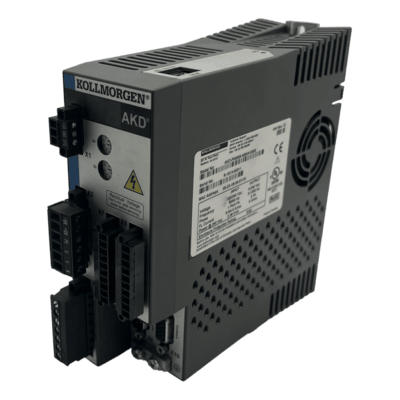
If an AKD drive is repeatedly tripping faults despite your troubleshooting, or if you encounter complex issues (like firmware errors or persistent hardware faults in the F2xx range), it may be time to seek professional repair. The AKD is a sophisticated drive, and some faults – especially those indicating internal failures – will require component-level repair or drive replacement. Wake Industrial has extensive experience with Kollmorgen AKD servo drive repair. They maintain stock of refurbished AKD units, so if you need a quick swap-out, they can often supply a replacement to get you up and running with minimal delay. Rather than scrapping a costly AKD drive at the first sign of trouble, consider using Wake Industrial’s repair services to extend the life of your equipment and save on costs. Use the quote form on this page to place a quote now, so you can receive a response in as fast as 15 minutes during business hours.
The Kollmorgen AKD series are advanced digital servo drives that offer Ethernet-based connectivity (such as EtherCAT) and high flexibility for modern automation systems. AKD drives continuously monitor their status and will flash fault codes on their display (an alphanumeric LED) to alert users to problems. An AKD fault code is shown as “F” followed by a three-digit number on the drive’s status display (warnings are shown with “n” for notice). Knowing what these codes mean and how to address them is key to maintaining AKD-driven systems. Below are some of the common AKD fault codes and steps to resolve each:
Fault Code | Description | Likely Cause |
F101 | Firmware incompatible | Firmware does not match drive hardware |
F301 | Motor overtemperature | Motor is overheated or thermal circuit has tripped |
F302 | Overspeed | Motor speed exceeded configured limit |
F305 | Brake open circuit | Brake coil is open or not detected |
F401 | Feedback configuration fault | Feedback type is wrong, disconnected, or not detected |
F402 | Feedback signal fault | Feedback signal level is missing or out of range |
F501 | Bus overvoltage | Regenerative energy or input voltage is too high |
F502 | Bus undervoltage | AC input power is low or unstable |
F503 | Bus capacitor overload | Excessive DC bus ripple or incorrect input use |
F521 | Regen over-power | Braking energy exceeds resistor capacity |
F524 | Drive overload/foldback | Continuous output demand is too high |
F525 | Output overcurrent | Shorted motor leads, abrupt load spike, or output stage issue |
F535 | Drive overtemperature | Drive electronics are too hot |
When problems persist or the fault points to a deeper issue, don’t hesitate to leverage professional repair services. Wake Industrial stands out as a leading source for Kollmorgen repair, replacement, and refurbishment. They can diagnose tricky faults, repair drives and motors to factory specs, or provide refurbished units when you’re in a pinch. With fast turnaround times and a deep inventory of Kollmorgen parts. Wake Industrial helps turn lengthy downtime into a quick, manageable maintenance event.
If you’re facing a Kollmorgen servo motor or drive issue that you’re not equipped to fix, contact Wake Industrial for a thorough repair solution. Call 1-919-443-0207 or send an email to sales@wakeindustrial.com. With the right expertise on your side, even the most stubborn fault codes can be cleared and your production kept on track. Don’t let an unexpected drive fault or motor failure halt your operations – a mix of proactive troubleshooting and reliable repair support will ensure your Kollmorgen systems continue to perform at their best.









