


Troubleshooting Bosch Rexroth Indramat MSK Motor Faults and Errors
15 May, 2025 | MSK, MSK Motors, Indramat, MSK Errors, MSK Error Codes, MSK Fault, MSK Faults, Bosch Rexroth Indramat, Drivetop software, rexroth error codes, rexroth fault codes, Indraworks,
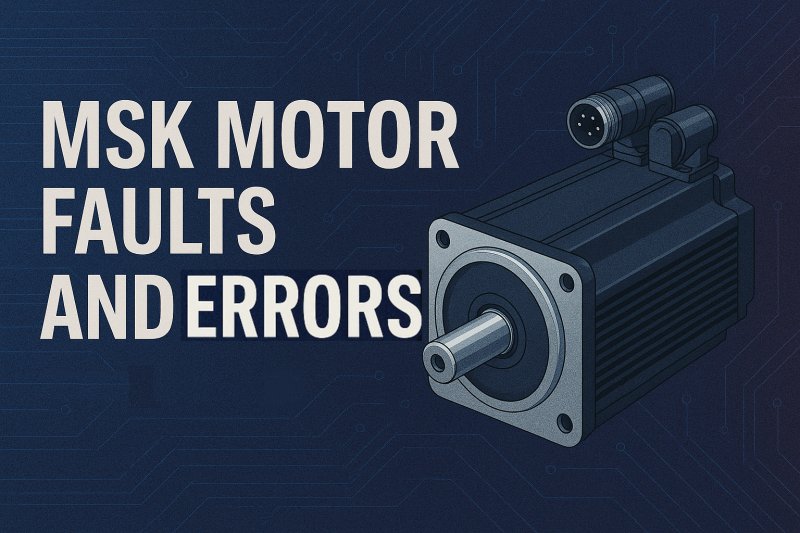
Troubleshooting Bosch Rexroth Indramat MSK Motor Faults and Errors
By John Forrester
Wake Industrial is sharing information sourced from the original manufacturer's manual. Please be advised that Wake Industrial does not offer troubleshooting assistance through phone or email. For repair, replacement, or refurbishment needs, we invite you to use our quote form or call us at 1-919-443-0207. It is the user's responsibility to exercise independent judgment and caution when implementing these instructions. Wake Industrial shall not be held liable for any direct, indirect, incidental, or consequential damages to products or individuals resulting from the use of this information.
Looking for the easy to read table? Click here.
The Bosch Rexroth Indramat MSK series (IndraDyn S) servo motors are precision synchronous drives used in demanding industrial applications. These compact motors offer high torque and fine positional control thanks to their advanced optical encoder systems. They may include an integrated brake and temperature sensors to monitor motor winding temperature. In practical use, MSK motors power machine tools, packaging lines, printing presses, and more. Because they directly drive mechanical loads, faults in an MSK motor can bring production to a halt. This guide walks through common MSK-specific errors—encoder problems, commutation failures, overheating, and mechanical interlocks—and how to diagnose and correct them.
Wake Industrial specializes in Bosch Rexroth Indramat products and provides expert repair, refurbishment, and replacement options for MSK motors. Call 1-919-443-0207 or fill out the quote form embedded to the right.
Encoder and Feedback Issues
Encoder faults are among the most common MSK problems. When the drive reports an F229 “quadrant” error, it means the motor’s encoder signal is erratic or missing. A worn or pinched encoder cable easily causes signal drop-outs or interference. Rexroth’s guide notes that “defective encoder cables” often induce F229. Handling or machinery around the cable can degrade its shielding or connectors. Excessive electromagnetic interference can also corrupt the encoder data. The simplest fix is usually to replace or reseat the encoder cable and ensure it is routed away from power conductors.
Another feedback issue involves the motor’s absolute encoder memory. Upon power-up, the drive compares the encoder’s stored position with the last known position. If the deviation exceeds a preset threshold, an error (for example F276) is raised. One cause is simply powering on the motor for the first time, or having moved the shaft while it was unpowered beyond the allowed window. In those cases, the resolver can be reset (there is usually an “S1” button on the drive) to re-align the position. However, if the motor has truly moved unintentionally, or if the encoder’s battery back-up has failed, the drive sees the encoder information as invalid. Bosch’s documentation warns that if the “absolute position information is wrong,” the motor’s feedback unit may be defective and the motor should be serviced or exchanged. In practice, an out-of-window fault usually means recalibrating the encoder (via the drive or IndraWorks) or, in severe cases, sending the motor for repair.
In general, any fault pointing to “no feedback” or “encoder missing” should prompt checking the encoder end-to-end. Examine the connector pins on the motor and drive, verify the encoder interface module in the motor fan that is seated correctly, and use an oscilloscope or drive monitoring tool to ensure the incremental A/B signals or Hiperface data pulses are present. If the motor has an old EOL-style battery-backed encoder, check the battery life and replace it as needed. Note also that sudden feedback errors can be caused by the motor having been physically impacted or opened; internal misalignment can ruin the encoder output. In those cases only factory repair will fix the underlying hardware.
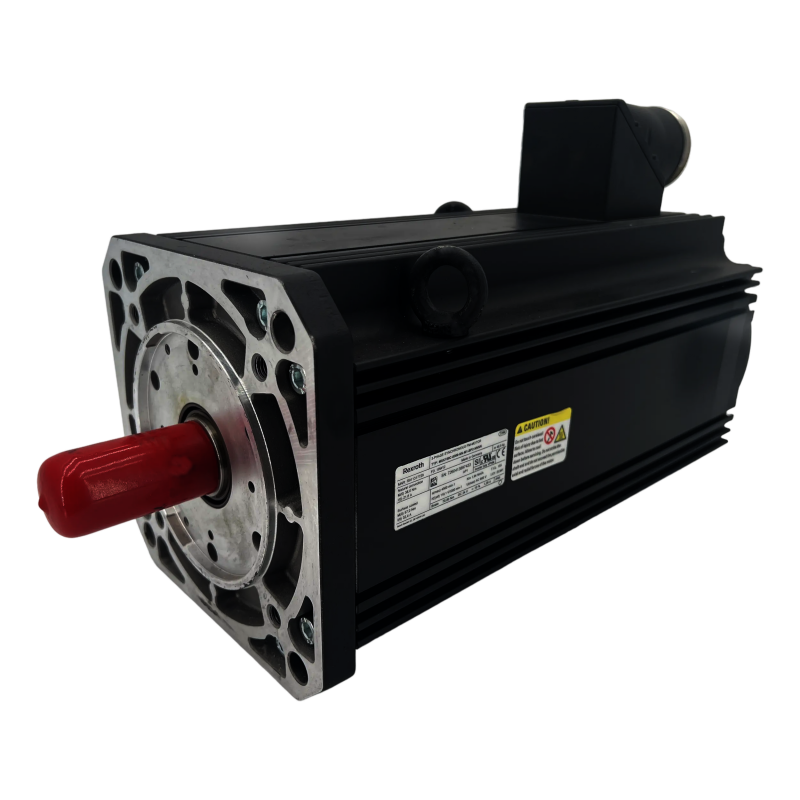
The MSK100C-0300-NN-M1-BP2-NNNN has a sound pressure level of ~75 dB(A). There are 4 pole pairs in the unit. The constant voltage of the product at 20°C is 119.1 V/min-1.
Commutation and Positioning Faults
Once encoder wiring is verified, look at commutation and motor movement issues. During startup, the drive must “sweep” the motor through an electrical cycle to find the correct offset. If the motor is stalled or blocked mechanically, the drive cannot complete this self-commissioning. In that case, errors like F811 appear. The remedy here is simple: remove any mechanical obstruction so the motor can turn freely, then retry the startup. Rexrorth’s guide to F811 advises exactly this order – first ensure nothing is jammed, check that the encoder direction is set correctly, and then reset the drive. Once the axis can turn without restriction, the drive can measure the offset and learn the motor polarity.
If a commutation fault still occurs, it often means the stored offset value in the encoder memory is corrupt. The drive will then refuse to enable the motor. This is exactly the case of fault F2104 in Rexroth drives: “The commutation offset value stored in the motor encoder memory was detected to be invalid”. The drive insists the motor must not run without a valid offset. Bosch’s troubleshooting steps for F2104 say to clear the error, then execute the commutation-setting command (P-0-0524) after ensuring the motor can rotate. In practice, if clearing and recalibrating twice does not clear the error, one should replace the encoder or motor. For expedient service with replacing an encoder, contact Wake Industrial at 1-919-443-0207 or fill out the quote form to receive a quote in as fast as 15 minutes.In short, commutation faults usually come down to either obstructed motion or a bad encoder memory. The solution is to fix the obstruction and then let the drive measure the offset, or to replace the encoder hardware and re-enter the motor type data. An appropriate tool like Bosch’s IndraWorks software can assist here: it allows forcing a commutation offset recalibration and verifying encoder parameters via the control interface.
In practice, many commutation-related faults can be prevented by ensuring the motor’s encoder battery is fresh. Rexroth notes that an MSK motor’s absolute encoder battery will trigger a low-battery fault (F2048) when it falls below ~3.1 V. If this happens, the drive will still run only for a short grace period before losing its absolute reference. The remedy is immediate: clear the error and replace the encoder battery. Preventive maintenance should include checking this battery or replacing it if the motor has been in service for many years.
Thermal Overload and Overheating
Heat is a frequent culprit in motor faults. Indramat MSK motors are rated for industrial environments (IP65 and use between 0–40 °C ambient), but can overheat under heavy use. Each MSK motor contains a KTY84 temperature sensor embedded in the stator. Rexroth specifies that these sensors will generate a warning at about 140 °C and force a shutdown at 150 °C. In drive diagnostics, this corresponds to an E251 – Motor Overtemperature Warning. When this warning appears, it means the motor has exceeded roughly 145 °C. The drive will still follow commands after a warning, but continued running risks triggering the F219 – Motor Overtemperature Shutdown. In effect, E251 is a critical alert: treat it like thunder before lightning.
Common causes of overheating include overloading, poor cooling, and electrical faults. If the motor was recently changed, first verify the correct MSK frame and winding were specified. If the motor has been in service for years, check for mechanical issues: is something locking up inside the machine? Is the coupling or brake dragging? The Indramat Factory support advice is to “check the motor rating and make sure the correct motor is being used” as a first step. Then inspect the machine: any misalignment or contamination adding friction will raise torque and thus heat. Also examine the motor cooling. Many MSK motors are fan-cooled: ensure the fan is spinning, the vents are clean, and cooling ducts are not blocked. A jammed fan or clogged filter can let the motor overheat quickly. On MSK models with optional liquid cooling or extended cooling modes, verify the coolant flow and fill if applicable. If you’re looking for a service to perform these preventive maintenance tasks, contact Wake Industrial today at 1-919-443-0207 to speak with a human representative now - there’s no automated holds or menu to navigate through.
Because MSK motors have a relatively long thermal time constant, they can retain heat for a long time. Bosch Rexroth warns that an MSK may take up to 140 minutes to cool down to ambient. After encountering an overtemperature warning, let the motor cool fully before retesting – otherwise residual heat may immediately retrigger the fault. Finally, once the overheat condition is corrected (e.g. load reduced, obstruction cleared), the E251 warning must be manually cleared. Remember that the longer a motor operates above 145 °C, the more magnetic and insulation damage it may sustain, shortening its operational lifespan. In critical plants, it’s wise to capture temperature and error logs via IndraWorks or the drive display, so that recurring heat issues can be analyzed and remedied.
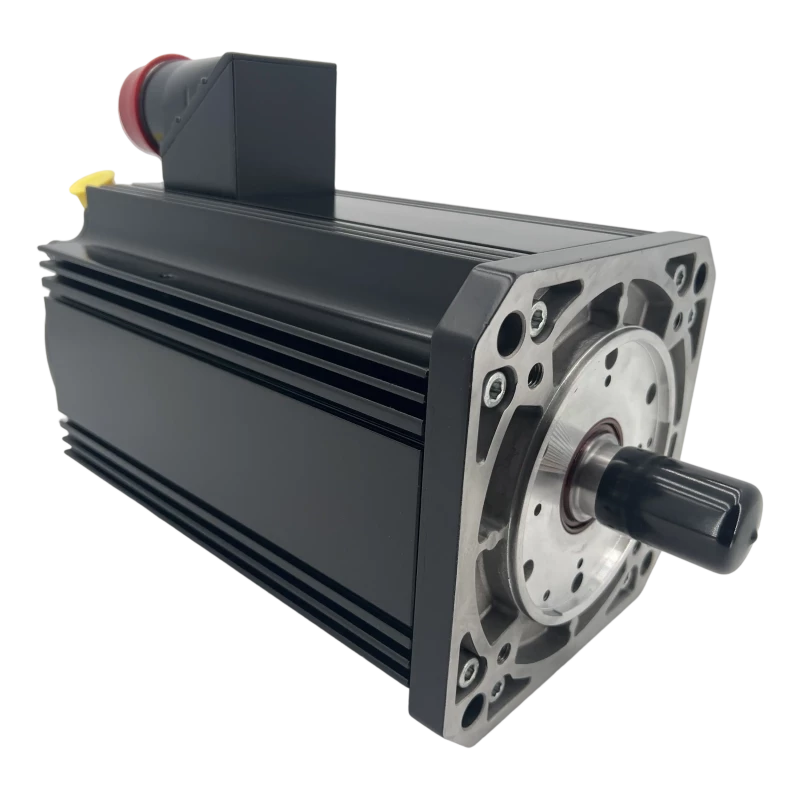
The MSK100B-0300-NN-M1-BP0-NNNN has a maximum speed of 4750 rpm. The mass of the unit is 34 kg. The ambient temperature at which the product can be operated is between 0 and 40°C.
Other Mechanical and Sensor Issues
Beyond encoder and heat faults, several other issues can afflict MSK motors. A sticking brake, for example, will prevent motion and mimic commutation errors. If the motor has a holding brake that fails to release electrically, the shaft won’t turn. In such a case the drive may report an inability to move or find an offset (F811). Diagnose by disconnecting or disabling the brake: if the motor spins freely without the brake engaged, then the brake unit itself needs repair. Similarly, excessive vibration or axial force on the motor can damage bearings or distort the frame, triggering unusual noises and eventual failure. Check that mounting bolts are tight and the load is properly balanced. Radial or axial overload (for example on a screw drive not rated for thrust) can cause the motor to overheat or stall repeatedly.
In some applications, MSK motors carry additional sensors or require ground straps. Faulty wiring to these accessories can also trip errors. For example, if a thermal sensor circuit opens, it might mimic an overtemperature reading. Always scan the motor’s terminal box and cable harness for open or shorted pins. Ensure that all protective sleeves on the output shaft or connectors have been removed before installation – a forgotten coupling cover could cause sudden jam. For MSK units with optional bearing or non-drive auxiliaries, verify those components individually as part of troubleshooting.
Diagnostics and Best Practices
Troubleshooting MSK motors often involves step-by-step diagnostics. Begin by reviewing the drive’s error or warning display carefully. Many Indramat drives (DKC, DDS, etc.) allow scrolling of historical faults. Cross-reference the fault code with the manual; factory literature often lists the exact meaning. Having access to Bosch’s Project Planning and Troubleshooting manuals is invaluable. If uncertainty remains, connecting a PC with DriveTop or IndraWorks (read more on IndraWorks here) can provide real-time status. IndraWorks can interface with the drive via RS-232 or fieldbus and read out parameters, encoder diagnostics, and error history. Use IndraWorks to confirm that motor nameplate data (type code, encoder resolution, commutation offset) has been entered correctly into the drive. You can often force a new offset determination or clear old encoder data via software commands.
When performing electrical checks, always power the drive off first. Inspect connectors for corrosion, measure insulation resistance on the motor windings if you suspect shorted windings, and check for continuity in the encoder lines. Use an oscilloscope on the encoder outputs (A, B, index) to see if pulses are present during manual rotation. For MSK models with Hiperface, ensure that the contacts are clean and the bus voltage (+5V) is present at the encoder connector. If all else fails, try swapping in a known-good MSK motor of the same type to isolate whether the problem follows the motor or stays with the drive controller.
It’s also worth noting that preventive maintenance can prevent many faults. Regularly check that motor fans and housings are clean, tighten any loose cable fittings, and exercise motors under light loads to verify free rotation. Verify ambient conditions match the motor’s specs. Replacing encoder batteries on a schedule (every 7–10 years) is recommended to avoid surprise F2048 failures. Keep an inventory of spare encoder cables and connectors on hand, as these are common wear items. Finally, educate machine operators to heed temperature warnings (E251) promptly – continued running under overload only leads to forced shutdowns later.
Why Choose Wake Industrial for MSK Motors
For complex MSK motor issues that demand more than in-house fixes, professional support is essential for a fast resolution. Wake Industrial, with its long-standing specialization in all things Indramat, is well-equipped to help. Wake Industrial offers a wide selection of refurbished MSK motors and expert guidance in identifying the appropriate replacement. Our team's proficiency in Indramat systems translates to efficient repairs: providing swift, expert diagnosis and corrections for motor malfunctions.
Wake Industrial focuses on minimizing downtime for businesses affected by MSK failures. Our Indramat experts prioritize rapid recovery, providing a large inventory of MSK models, a one-year warranty, and expedited shipping at no additional cost. To find out how Wake Industrial can solve your MSK issues, call 1-919-443-0207 or fill out the quote form at the top of this page to receive a quote NOW.
Are you looking for support for other Bosch Rexroth Indramat products? Navigate here to get a quote fast for servo drives, motors, and controllers. These include DKC drives, MSK motors, and much more.
| Common MSK Error Codes | ||
| Error Code | Description | Fix |
| F2104 | Invalid commutation offset | Replace encoder or motor and reinitialize commutation offset via commissioning software. |
| F2048 | Low-battery fault | Clear the error and replace the encoder battery. |
| F229 | Quadrant error | Replace or reseat the encoder cable and ensure it is routed away from power conductors. |
| F276 | Error raised if drive compares the encoder’s stored position with the last known position and the deviation exceeds a preset threshold | Reset the resolver. Recalibrate the encoder (via the drive or IndraWorks) or, in severe cases, send the motor for repair. |
| F811 | Commutation offset could not be determined | Remove any mechanical obstruction so the motor can turn freely, then retry the startup. Check that the encoder direction is set correctly, and then reset the drive. |
| E251 | Motor Overtemperature Warning | Verify the correct MSK frame and winding were specified. Check for mechanical issues.Let the motor cool fully before retesting. Clear the E251 warning. |
| F219 | Motor Overtemperature Shutdown | See fixes for E251. |
Wake Industrial is sharing information sourced from the original manufacturer's manual. Please be advised that Wake Industrial does not offer troubleshooting assistance through phone or email. For repair, replacement, or refurbishment needs, we invite you to use our quote form or call us at 1-919-443-0207. It is the user's responsibility to exercise independent judgment and caution when implementing these instructions. Wake Industrial shall not be held liable for any direct, indirect, incidental, or consequential damages to products or individuals resulting from the use of this information.
Request a Quote

Cary, NC 27513












