


Decoding Diagnostic Messages on Bosch Rexroth ECODRIVE DKC01.1 & DKC11.1 Drive Controllers
16 January, 2026
Wake Industrial is sharing information sourced from the original manufacturer's manual. Please be advised that Wake Industrial does not offer troubleshooting assistance through phone or email. For repair, replacement, or refurbishment needs, we invite you to use our quote form or call us at 1-877-968-1360. It is the user's responsibility to exercise independent judgment and caution when implementing these instructions. Wake Industrial shall not be held liable for any direct, indirect, incidental, or consequential damages to products or individuals resulting from the use of this information.
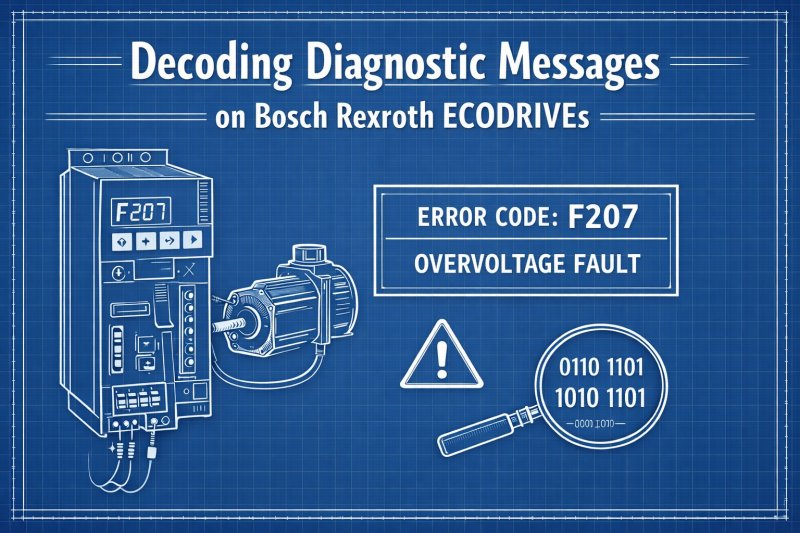
Bosch Rexroth’s DKC Drive Controllers DKC01.1 and DKC11.1 drives come equipped with an on-board diagnostic system that alerts users to the drive’s status and any issues. The front-panel H1 display shows coded messages whenever there is a change of state or a fault. These diagnostic messages are crucial for troubleshooting – they point maintenance engineers directly to the cause of problems and help in resolving faults faster, thereby reducing downtime. In this blog we will cover the four kinds of diagnostic messages that appear on DKC Drive Controllers, and provide some examples.
These guidelines apply to all DKC01.1 and DKC11.1 whether it be a DKC01.1-030-3-FW or DKC11.1-040-7-FW. Wake Industrial can assist in repairing on replacing drives encountering these error codes (Wake Industrial cannot provide direct technical support for users encountering error codes. The free chat available on our website can assist with basic errors). For immediate help with repairing or replacing a drive call Wake Industrial at 1-877-968-1360 or fill out the quote form on the page.
Four Kinds of Diagnostic Message Types in DKC Controllers
Each event or condition on a DKC drive controller is indicated by a diagnostic message. The controller distinguishes four main types of diagnostic messages:
- Error messages – serious faults denoted by “F” codes.
- Warning messages – cautionary conditions denoted by “E” codes.
- Command messages – active commands or internal checks denoted by “C” codes.
- State messages – normal operating states denoted by “A” codes.
These categories also have a priority hierarchy: an error will be displayed before a warning, a warning before a command, and a command before a state message, ensuring that critical faults get top attention. Each diagnostic message is labeled by a letter-number code plus a short text description. For example, F228 corresponds to “excessive output error”.
Error Diagnostic Messages (Fxxx)
Error messages prefixed by “F” indicate serious faults that immediately stop the drive. The drive will shut down as a protective measure when an F-code fault occurs, and operation cannot resume until the issue is fixed and the error cleared. Error codes cover a range of faults such as over-temperature, power supply, positioning errors, etc., but all of them trigger an abrupt stop for safety.
- F219 – Motor Overtemperature Shutdown: This error is triggered when the motor’s temperature rises above a critical threshold. As soon as that limit (around 155 °C) is exceeded, “the drive will immediately be brought to a standstill” to protect the motor from damage.
Warning Diagnostic Messages (Exxx)
Warning messages prefixed “E” are alerts about abnormal conditions which have not yet stopped the drive. In other words, the drive is telling you something is outside of normal range, though it hasn’t triggered an emergency stop. Warnings give you a chance to intervene before a condition escalates into a full error fault. Failure to respond to a warning can lead to a catastrophic failure of a drive. When that happens it’s time to reach out to a repair service like Wake Industrial. Wake Industrial offers comprehensive repair options for DKCs. Email sales@wakeindustrial.com to receive a quote within 15 minutes.
- E250 – Heatsink Overtemperature Warning: Indicates the drive’s heatsink has reached its maximum allowable temperature. Unlike an error, the drive doesn’t shut down immediately; it will continue running for ~30 seconds to allow an orderly stop, after which an automatic protective shutdown will occur if the overheating persists. This E250 warning lets the operator know a cooling issue exists so they can address it before the drive trips off.
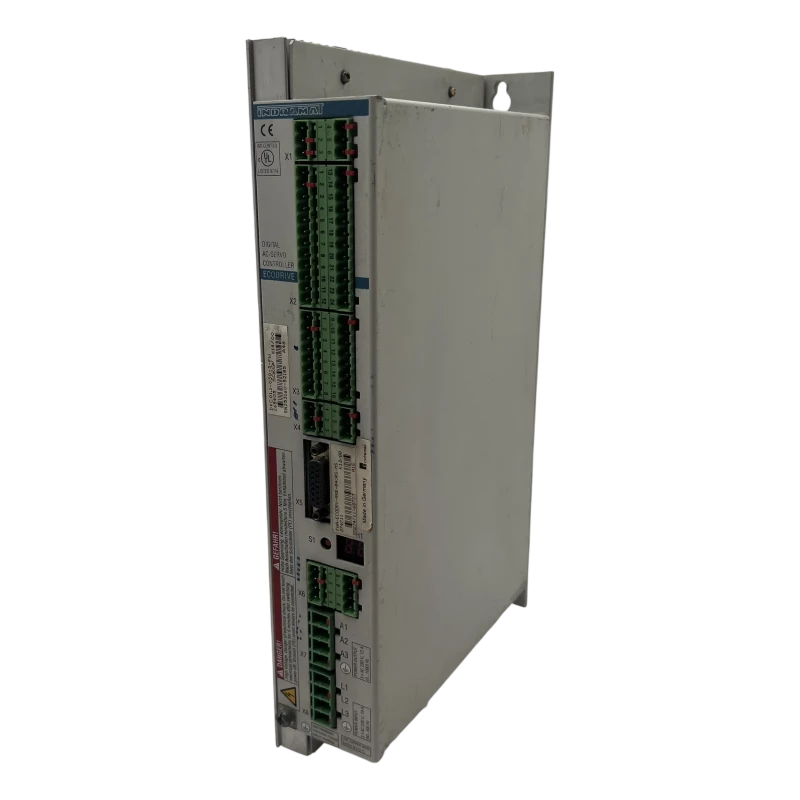
The DKC01.1-030-3-FW from Bosch Rexroth Indramat is a robust and reliable AC drive controller designed for controlling MKD servomotors from the same manufacturer.
Command Diagnostic Messages (Cxxx)
Command messages using the prefix “C” appear when the drive is executing certain control commands or transitioning between states. They are informational diagnostics rather than fault alarms. Typically, C-codes show up during drive initialization or configuration changes to indicate internal checks and progress. For more help with programming drives during initialization read our DKC Programming Guide and our DriveTop software blog.
- C100 – Communication Phase 3 Transition Check: This message is displayed when the drive is switching from parameter (configuration) mode into operational mode. The drive has activated the “Communication Phase 3 Transition Check” command, meaning it is performing an internal check to ensure the controller is ready to go into the run state. If a required parameter is invalid during this process, the transition will be halted and an appropriate C1xx error code will be shown to indicate the issue.
State Diagnostic Messages (Axxx)
State messages which use the prefix “A” indicate the current operating state or mode of the drive. These codes reflect normal status conditions such as readiness or the control mode active rather than errors. A-codes are useful for confirming what mode the drive is in during operation or commissioning.
For instance, A100 indicates torque-control mode and A101 indicates velocity-control mode – these codes simply show the drive’s status. They do not signify any fault. Seeing an A-code on the display tells the operator which mode or state the drive is currently in, which is important when operators need to address issues or change states.
|
Diagnostic Type |
Code Prefix |
Purpose |
Effect on Drive Operation |
Typical Meaning |
|
Error Diagnostic Message |
Fxxx |
Indicates a critical fault condition requiring immediate attention |
Drive is shut down or forced into torque-free state |
Protects hardware from damage due to conditions such as overtemperature, overcurrent, encoder failure, or power faults |
|
Warning Diagnostic Message |
Exxx |
Signals abnormal or approaching-limit conditions |
Drive continues to operate temporarily |
Alerts operators to issues like rising temperatures, parameter conflicts, or limit violations before a shutdown occurs |
|
Command Diagnostic Message |
Cxxx |
Indicates execution or validation of internal commands |
Temporarily overrides normal operating mode |
Appears during actions such as parameter validation, communication phase transitions, homing procedures, or automatic tuning |
|
State Diagnostic Message |
Axxx |
Displays the current operating state of the drive |
Normal operation continues |
Confirms active operating modes such as torque mode, velocity mode, position mode, or drive ready status |
Why Proper Interpretation Matters
Knowing how to interpret the DKC’s diagnostic messages helps maintain uptime and protect your equipment. The diagnostics enable faster troubleshooting – technicians can pinpoint issues by the code and quickly replace or repair the specific faulty component, resulting in the quickest possible resolution of the defect and return to operation. The system also performs protective shutdowns when necessary for example, cutting power on an overheating drive or motor to avoid costly damage to the hardware. Additionally, paying attention to warning messages allows for proactive fixes: by responding to an E-code for instance, cooling a hot cabinet when E250 appears, you can often prevent an unplanned stop and avoid the downtime that would result if the condition evolved into an error fault.
Conclusion
Understanding the different diagnostic message types – Error, Warning, Command, and State – on Bosch Rexroth DKC Drive controllers is vital for effective troubleshooting and maintenance. These coded messages let you react appropriately, whether it means urgently fixing a fault or simply monitoring a normal operating state.
If your DKC drive controller is displaying persistent errors or has failed, Wake Industrial offers expert repair and replacement services for Bosch Rexroth DKC products. Our team specializes in obsolete Bosch Rexroth products like DKCs and can help get your drive back up and running quickly. Just call 1-877-968-1360 or email sales@wakeindustrial.com to get a comprehensive and competitive quote from Wake Industrial. (Please note that while Wake Industrial services DKC units, we do not provide technical support for troubleshooting. The free chat available on our website can assist with basic errors.)
Request a Quote

Cary, NC 27513












