


Troubleshooting Common IndraDrive C Fault Codes
25 April, 2025 | HCS01Indramat, Indramat Fault Code, Bosch Rexroth, HCS01 Fault Code, HCS01 Error, HCS02 fault code, HCS02 Error, IndraDrive C Fault Code, IndraDrive C Error, HCS03 Fault Code, HCS03 Error, HCS04 Fault Code, HCS04 Error
Troubleshooting Common IndraDrive C Fault Codes
By John Forrester
"Wake Industrial is sharing information sourced from the original manufacturer's manual. Please be advised that Wake Industrial does not offer troubleshooting assistance through phone or email. For repair, replacement, or refurbishment needs, we invite you to use our quote form or call us at 1-919-443-0207. It is the user's responsibility to exercise independent judgment and caution when implementing these instructions. Wake Industrial shall not be held liable for any direct, indirect, incidental, or consequential damages to products or individuals resulting from the use of this information."
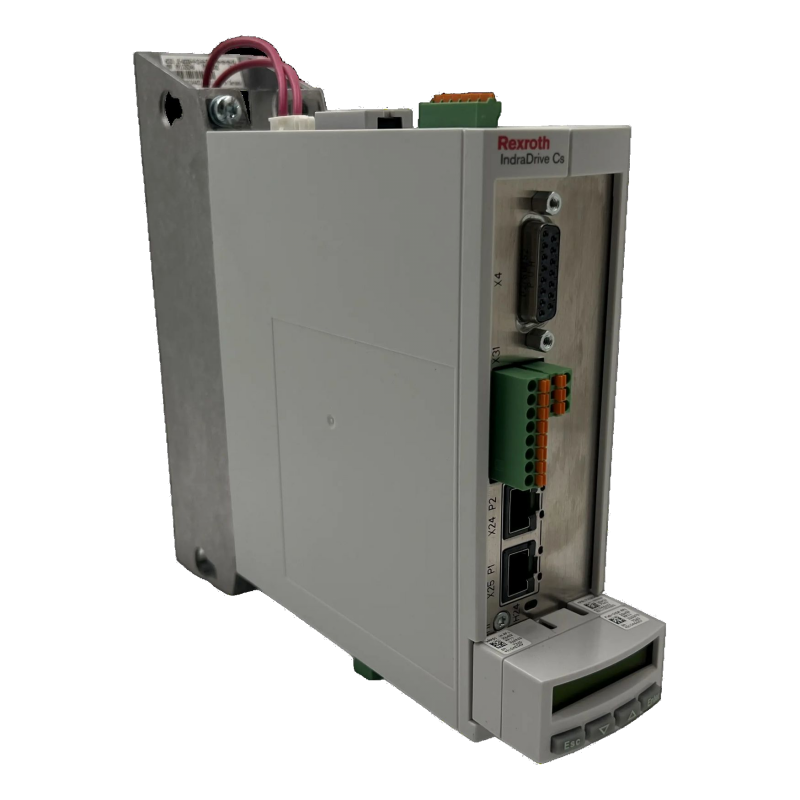
Bosch Rexroth’s IndraDrive C series — made up of the HCS IndraDrive Controllers: HCS01, HCS02, HCS03, and HCS04 models — are widely adopted for their robust performance in precision automation systems. However, when these servo drives encounter a fault, operators need to act fast. This guide covers how to interpret and troubleshoot the most common IndraDrive C fault codes and errors, focusing on real-world solutions for communication failures, thermal warnings, power stage issues, encoder feedback faults, and parameter mismatches.
Wake Industrial understands that keeping your line up and running is paramount. That’s why Wake Industrial offers comprehensive repair, refurbishment, and replacement options for IndraDrive C controllers. Fill out the quote form or dial 1-919-443-0207, to receive quick and quality assistance for your IndraDrive C controllers.
Understanding Faults in the IndraDrive C Series
IndraDrive C drives generate fault codes to communicate detected malfunctions. Faults typically appear as alphanumeric codes, like F219 or F226, and halt operation to protect system integrity. These codes are standardized across the series, making HCS01 fault codes, HCS02 fault codes, HCS03 errors, and HCS04 errors easy to interpret if you know what to look for. Faults often arise from five categories: communication failures, thermal issues, power stage faults, encoder malfunctions, and configuration errors. It’s worth noting that these codes are standardized across the IndraDrive family. That means a F226 fault code on an HCS02.1E-W0028-A-03-NNNN will have the same meaning as F226 on a smaller HCS01.1E-W0018-A-03 making it easier to recognize issues if you manage multiple drive sizes.
Communication Faults: When Drives Don’t Talk
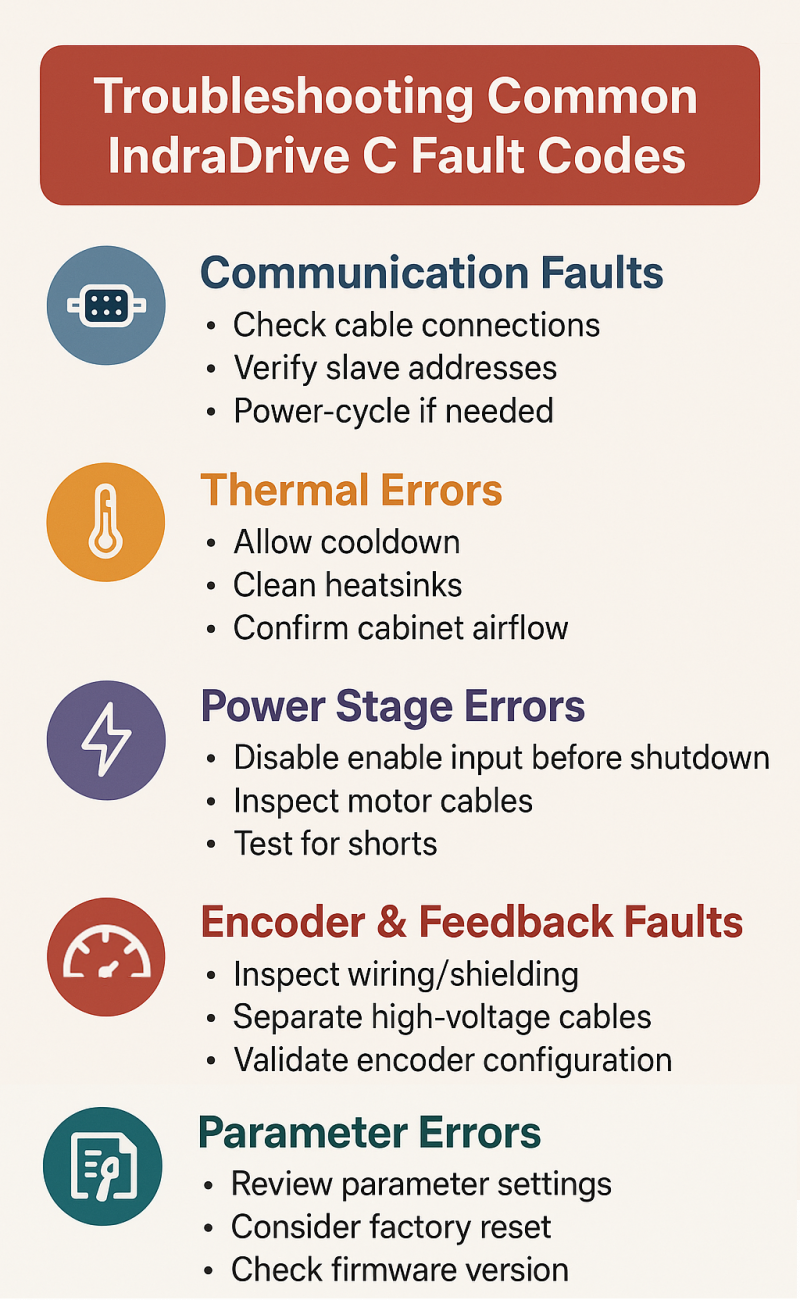
Communication failures usually show up during startup or commissioning. A common issue is when a drive remains stuck in a low SERCOS phase, like Phase 1, which signals the master failed to recognize the slave drive. This can be due to incorrect address settings or misconfiguration in the controller.
Ensure all fieldbus cables (SERCOS fiber optics, PROFINET, etc.) are securely connected. Next, verify that the slave address matches the configuration in your automation software. If the drive remains in a non-operational state, inspect for diagnostic messages such as C200 or communication timeout codes that point to mismatched or missing parameters.
In some cases, power cycling the drive and controller together clears the issue. However, if communication faults persist, check control voltage availability, replace damaged fiber optic cables, and ensure unique addressing across all nodes.
Thermal Errors: Overtemperature Warnings and Shutdowns
Temperature-related errors are among the most common IndraDrive C errors. Drives and motors have internal temperature sensors that trigger warnings or faults when thresholds are exceeded.
For example, an HCS01 fault code F218 signals amplifier overtemperature. This usually results from inadequate panel cooling, clogged heatsinks, or excessive ambient temperatures. Allow the drive to cool, check that fans are operational, clean air filters, and ensure that cabinet airflow meets spec (usually under 45 °C ambient).
Similarly, an F219 Motor Overtemperature fault often follows prolonged high-load operation or insufficient motor cooling. Address this by checking mechanical loading, verifying that any external fan cooling is functional, and making sure motor torque demands are within spec.
Sensor-related faults like F221 may also occur if motor thermistors are damaged or wiring is degraded. In those cases, inspect feedback cables and test continuity across thermistor lines.
Power Stage Errors: Undervoltage, Overvoltage, Overcurrent
The power stage regulates motor output via the DC bus. One common issue is F226 Undervoltage, which typically results from power interruptions or improper shutdown sequences. Before cutting main AC power, always disable the drive’s enable input — this avoids dropping the DC bus while the drive is active.
Another scenario involves overvoltage errors triggered during rapid deceleration. Energy fed back into the DC bus by regenerative braking can exceed the safe voltage range if the braking resistor is undersized or defective. Remedy this by adjusting deceleration ramps or adding more braking capacity.
Overcurrent faults, such as F860 (phase-to-phase short) or F861 (ground fault), often stem from damaged motor cables or internal motor insulation breakdowns. Inspect motor leads for pinched or frayed wiring. Use a multimeter to test for shorts before re-enabling the drive. If no cable issues are found, the fault could lie within the drive’s output stage, requiring repair.
Encoder and Feedback Faults: When Position Data Goes Missing
Encoder-related HCS02 errors and HCS03 fault codes can arise when feedback signals are missing or corrupted. A common example is F229 Quadrant Error, indicating inconsistency in incremental encoder readings. This often stems from electromagnetic interference, improperly shielded cables, or loose connectors.
Inspect encoder wiring, ensure shielding is intact, and separate feedback lines from high-voltage cables. For F822 signal too small errors, check for low signal amplitude, which might result from incorrect encoder type configuration or defective encoder hardware.
Feedback configuration errors, like C204 Motor Type Mismatch, arise when the drive detects a motor type different from what parameters specify. Load the correct motor data using Rexroth’s IndraWorks software or from motor feedback memory. These configuration mismatches prevent motion until corrected.
Parameter Errors: Misalignments That Block Operation
When parameter files don’t match hardware, C201 Invalid Parameter or C202 Parameter Limit errors can occur. These are often seen after drive replacements or firmware upgrades. Use the engineering tool to view and correct invalid parameters. Re-loading the default set followed by careful reconfiguration can resolve persistent C-codes.
Another frequent case involves drives configured to use an encoder that isn’t connected. For example, an HCS04 fault code C210 may occur if the drive expects an external encoder that has not been installed. Disable unused feedback channels to eliminate these errors.
Correcting parameter errors often requires validating motor specs, encoder types, and application-specific limits. A mismatch between expected and actual hardware will always raise configuration flags.
Wrapping Up: Resolve and Restart
Troubleshooting IndraDrive C fault codes can initially seem daunting, but as we’ve seen, each IndraDrive C error has a story to tell about what’s going wrong. By systematically addressing communication faults, temperature trips, power stage issues, encoder errors, and parameter mismatches, you can usually get your HCS drive out of fault and back into operation without extensive downtime. Always keep the drive’s manual or a fault code list handy – the official explanations (and even community forums discussing similar errors) can provide valuable insights when you’re stuck. And remember: when in doubt, start with the basics – connections, environmental conditions, and correct configuration – they solve the majority of issues.
If troubleshooting doesn’t solve the issue and you suspect a deeper hardware fault, it may be time to repair or replace the drive. Wake Industrial specializes in IndraDrive C repairs and surplus units, offering quick turnaround to minimize downtime. While Wake Industrial does not provide live technical support, our team offers a convenient chat tool to help you access common troubleshooting tips and FAQs.
Don’t let drive faults keep your line down – if you need a fast repair or a quality refurbished IndraDrive C unit, contact Wake Industrial. Wake Industrial has a wide range of Bosch Rexroth IndraDrive C HCS01/HCS02/HCS03/HCS04 drives in stock and expert repair technicians who have years of experience repairing IndraDrive hardware. Get in touch by calling 1-919-443-0207 or via the quote form on this page, to get your machinery back up and running.
"Wake Industrial is sharing information sourced from the original manufacturer's manual. Please be advised that Wake Industrial does not offer troubleshooting assistance through phone or email. For repair, replacement, or refurbishment needs, we invite you to use our quote form or call us at 1-919-443-0207. It is the user's responsibility to exercise independent judgment and caution when implementing these instructions. Wake Industrial shall not be held liable for any direct, indirect, incidental, or consequential damages to products or individuals resulting from the use of this information."
Request a Quote

Cary, NC 27513












