


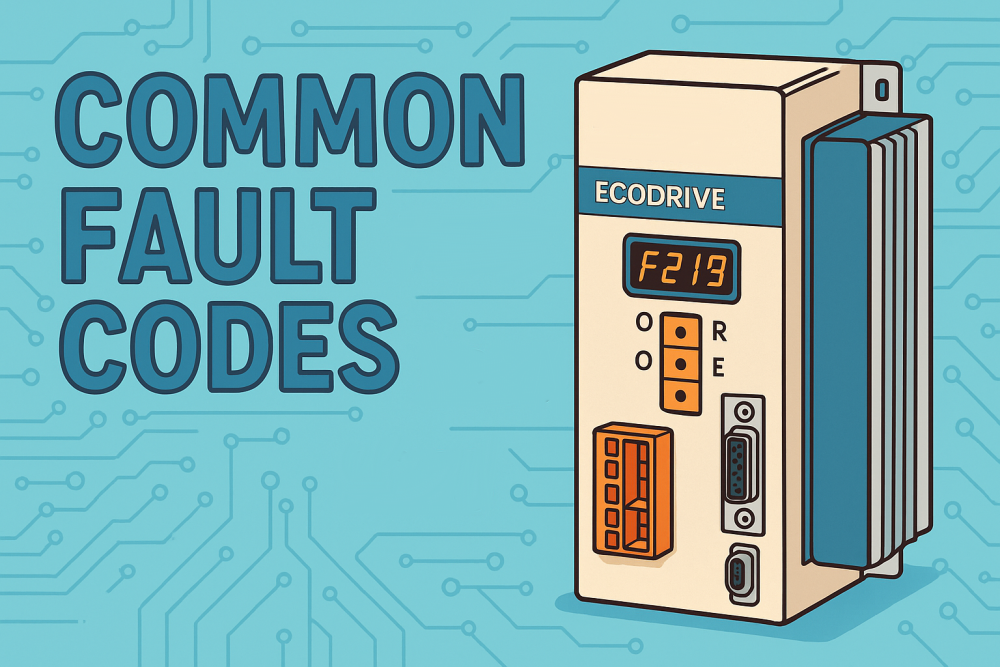
Common Bosch Rexroth Indramat DKC EcoDrive Fault Codes: Causes and Solutions
Bosch Rexroth’s Indramat DKC EcoDrive series are reliable servo drive controllers used in industrial motion control. However, even these robust drives can experience faults that halt operation, displaying an alphanumeric error code on the drive’s front panel. Understanding what these fault codes mean – and how to resolve them – is crucial for technicians and engineering managers to quickly restore production. In this guide, we’ll explain common DKC EcoDrive fault codes in technical yet accessible terms, including typical causes and recommended solutions. Wake Industrial can assist with expert repair and refurbishment of faulty drives to minimize your downtime. Call 1-888-744-6073 to speak with a representative immediately - there are no menus, no waiting, and no machines waiting to waste your time. If you’d rather send an email, the address is sales@wakeindustrial.com. You’ll receive a quote back within 15 minutes during business hours.
Understanding Indramat DKC EcoDrive Error Codes
Indramat DKC drives communicate status and faults via letter-prefixed codes on a 7-segment display. The codes serve as the drive’s “voice” telling you what needs attention:
- “F” Fault Codes: These indicate a serious error that stops the drive. An F code means the drive has shut down to protect itself or the motor. These must be addressed and cleared before operation can resume.
- “E” Warning Codes: These are cautionary messages (like a pre-alarm) indicating an abnormal condition that has not yet stopped the drive. The drive may continue running, but an E code is a sign to take corrective action before it escalates.
- Status Codes (e.g. “A”, “C”): These show normal states or communication phases (for example, A codes for drive status). They inform you when the drive is enabled, halted, or in a certain mode.
For fault codes, the numeric portion often groups them by category. For instance, many F2xx codes relate to temperature, power, or feedback issues, while F4xx codes often involve communication or external interface faults. Knowing the code’s meaning is the first step in troubleshooting. Always record the fault code and any associated drive messages or LED indicators. Once you identify the code, you can look up its definition and likely causes – either in the official Indramat manual or in the quick reference chart below.
Note: After fixing a problem, most faults require a reset. This can be done by cycling the drive to enable input, pressing the S1 reset button on the drive, or power-cycling the unit. However, never repeatedly reset a fault without addressing its root cause – doing so could risk equipment damage if the underlying issue persists.
Common Indramat DKC EcoDrive Fault Codes and Troubleshooting
Below is a chart of common fault codes seen across the Indramat DKC EcoDrive family, along with their meaning, typical causes, and recommended solutions. These faults are frequently encountered by technicians and understanding them can save time in diagnostics. Keep in mind that if a fault remains after following these steps, the drive or motor may require professional service (a scenario where Wake Industrial’s repair/refurbishment services can help get you back up and running quickly).
Looking for DKCXX.3-040-7 Fault Codes? DKCXX.3-040-7 Troubleshooting Guide? Read the chart below.
| Fault Code | Fault Name / Meaning | Common Causes | Recommended Solutions |
|---|---|---|---|
| F218 | Drive Overtemperature (Amplifier heatsink too hot) | - Inadequate cooling or ventilation (cabinet ambient >45 °C).- Heatsink or air vents clogged with dust.- Cooling fan failure in the drive. | - Ensure all cooling fans run unobstructed; clean dust from vents and heatsink.- Improve cabinet ventilation or add cooling if ambient is high (keep below 45 °C).- If the issue persists, the drive’s internal temperature sensor or blower may be faulty – contact Wake Industrial for drive inspection or repair. |
| F219 | Motor Overtemperature (Motor too hot) | - Motor overloaded (running beyond its continuous torque for too long).- Cooling on motor is insufficient or fan on motor (if present) is faulty.- Faulty motor temperature sensor wiring (broken or shorted thermistor line). | - Reduce the mechanical load on the motor and allow it to cool down. If faults occur during peak production, the motor may be undersized – consider a larger motor or a cooldown period.- Check any motor-mounted fan and clear obstructions to airflow over the motor.- Inspect the motor’s temperature sensor cable and connections for damage or loose contacts. Repair wiring issues. If the problem continues, consult Wake Industrial about motor or drive service. |
| F220 | Regeneration Overload (Bleeder resistor overheated) | - Excessive regenerative energy from decelerating a large load – the internal bleed resistor can’t dissipate it fast enough.- Very high deceleration or downward movement generating energy back into the drive (mechanical energy returning to drive). | - Reduce acceleration/deceleration rates in the motion program to limit regen energy.- Check the mechanical setup for any issues causing excessive energy feedback (e.g. heavy vertical axis without proper counterbalance).- If high regen is unavoidable, install an external braking resistor or module to increase capacity. After corrections, reset the fault and resume operation. |
| F226 | Undervoltage in DC Bus (Supply voltage too low) | - AC mains power was interrupted or dipped while the drive was enabled (e.g. emergency power off was hit without disabling the drive first).- Disturbance or sag in the power supply, such as a tripped breaker or brownout condition.- Loose DC bus connection between power supply and drive (in multi-axis systems) causing momentary loss of DC link. | - Verify stable power: ensure no one shut off mains power before disabling the drive. Always remove the drive enable signal before cutting main power to allow a controlled stop.- Check facility power for voltage drops; if frequent, investigate the supply circuit or use a power conditioner.- In multi-axis setups, inspect DC bus link cables between supply and drives for secure connections. After addressing the cause, cycle the drive enable to clear the F226 fault. |
| F228 | Excessive Deviation (Following error / unable to keep up) | - Commanded motion exceeds the drive’s or motor’s acceleration capabilities (too aggressive move profile).- Mechanical jam or blocked axis preventing motion.- Drive tuning or parameters are set incorrectly (position loop gains, monitoring window too tight). | - Reduce the demanded acceleration or feed rate from the controller to within the system’s limits. Adjust parameter S-0-0092 (acceleration limit) if needed to match the application’s max allowable acceleration.- Inspect the machine for binding or jamming; manually verify the axis can move freely and fix any mechanical issues.- Verify and retune drive parameters: ensure control-loop gains are stable and the monitoring window (S-0-0159) for following error is set appropriately (not too small). After corrections, clear the fault and test motion slowly. |
| F229 | Encoder 1 Failure (Motor encoder signal fault – “Quadrant error”) | - Defective or loose encoder cable on the motor (loss of feedback signals).- Electrical noise interference on the encoder lines (especially if feedback cable runs near power cables).- Faulty encoder hardware or interface in the drive controller. | - Inspect and replace the motor encoder cable if damage is found; even a intermittent connection can trigger F229.- Ensure the encoder cable is properly shielded and routed away from high-voltage cables to avoid EMI interference.- If issues persist, the encoder itself or the drive’s encoder interface may be bad. Swap the motor (or encoder) to test, and consider sending the drive for repair to address internal feedback hardware issues. |
| F248 | Low Battery Voltage (Encoder backup battery dying) | - The backup battery for the absolute encoder is nearly depleted (typically after ~10 years of service).- If recently replaced, F248 could indicate a battery not connected properly or a wrong battery type. | - Plan to replace the battery within about 2 weeks of seeing this fault. The drive triggers F248 when battery voltage falls below ~2.8 V, giving you a grace period to change it before memory is lost.- Locate the battery (often in the motor’s end cap or connected to the drive) and replace it with a new equivalent unit. Keep the power on (or perform the procedure per manual) to avoid losing the absolute position data. After replacement, reset the fault. (If the battery fully dies, the absolute position may be lost and the axis will require re-homing or re-referencing.) |
| F860 | Overcurrent Fault (Short circuit or excess current draw) | - Short circuit in the motor’s power cables or the motor windings (phase-to-phase or phase-to-ground).- Incorrect drive parameter settings for current limits or tuning, causing unstable current spikes.- Internal power transistor failure in the drive’s output stage (less common). | - Inspect the motor power cable and connector for any damage or pin shorts. Megger or continuity-test the motor to check for winding shorts to each other or ground. Repair any wiring issues or replace the motor if defective.- Verify current limit and regulator tuning parameters in the drive. Restore default tuning or appropriate values – incorrect settings can lead to oscillations and overcurrent.- If F860 recurs with no external cause, the drive’s power stage might be faulty. In that case, send the drive for professional repair. Wake Industrial’s technicians can diagnose transistor or IGBT failures and refurbish the unit. |
| F234 / F434 | Emergency Stop Activated (Safety circuit triggered) | - An emergency stop (E-stop) button was pressed, or a safety circuit opened, causing the drive to cut power as designed.- A fault in the E-stop wiring or safety relay triggered a false E-stop condition. | - Investigate what caused the E-stop: ensure no actual emergency condition persists (check the machine for hazards or reasons the operator hit stop). Reset any E-stop buttons or safety interlocks that have been tripped.- Once the safety circuit is reset (closed), clear the fault on the drive (press the reset button or send reset command) and re-enable the drive. If the E-stop fault won’t clear, inspect the E-stop wiring and devices for malfunction or looseness. Consistent false triggers may require repairing the safety circuit. |
| F277 | Internal Hardware Fault (Drive hardware error) | - Indramat diagnostics detected a hardware problem in the drive controller (e.g. an analog/digital board fault or calibration error in current sensing).- This fault can appear if there’s an internal component failure or after an improper firmware update. | - There is no user-fix for F277 aside from ensuring the fault is legitimate (power-cycle the drive once to see if it reappears). If F277 persists, it indicates the drive electronics are compromised.- The best course is professional repair or drive replacement. Contact Wake Industrial to arrange for a drive evaluation – expert technicians can replace faulty components or provide a refurbished exchange unit. |
Note: The above list is not exhaustive – Indramat DKC drives have many fault codes, but these are among the most commonly encountered in the field. Always refer to your specific drive’s documentation for the definitive cause/response for a given code. If you’re unsure or the basic remedies don’t work, consider reaching out to an expert.
Additional Troubleshooting Tips
- Follow a Logical Process: When a fault occurs, address the most likely/simple issues first. For example, with an encoder or motor fault, check cables and connectors before suspecting the drive hardware. The Indramat manual often lists causes in order of probability – use that as a guide rather than randomly changing settings. This systematic approach saves time and prevents unnecessary adjustments. If multiple faults appear, resolve the earliest or primary fault first as others might be consequential.
- Utilize Diagnostic Tools: The DKC EcoDrive controllers can interface with the DriveTop PC software (for parameter viewing and diagnostic history). The drive stores the last several error codes in a buffer. Checking this error log can help if the fault is intermittent or to see if warnings (E-codes) preceded the fault. It’s also wise to consult the diagnostic messages in DriveTop or on the display – for instance, an F228 might be accompanied by a text like “Excessive Deviation” which confirms you’re looking at a following error issue.
- Don’t Ignore Warning Signs: E-codes (warning messages) such as E251 (Motor overtemp pre-warning) or E825 (DC bus overvoltage warning) often appear before a serious F fault trips. These warnings give you a chance to intervene (e.g. let a motor cool or check supply voltage) to avoid a complete shutdown. Take them seriously – if you see a warning repeatedly, fix the underlying cause or it may escalate to a fault.
- Safety First: Always ensure the system is in a safe state when troubleshooting. If a drive faulted due to an emergency stop or overtravel limit, confirm that the machine is not in a dangerous position before re-enabling it. Verify that limit switches are functioning (travel limit faults like F628/F629 occur if limits are exceeded), and that the drive enable signal is configured correctly (a missing enable can prevent the drive from turning on even after faults are cleared). Clear any obstructions and be ready to hit the E-stop again during testing if something goes wrong.
Wake Industrial: Your Partner in EcoDrive Repair and Replacement
Troubleshooting Indramat DKC EcoDrive faults can be complex. If you’ve tried the above steps and still face errors – or if you simply want the assurance of an expert handling the repair – Wake Industrial is here to help. Wake Industrial specializes in Bosch Rexroth Indramat systems and offers comprehensive repair, refurbishment, and replacement services for the entire EcoDrive line.
Our experienced technicians have in-depth knowledge of DKC drive controllers and their common failure modes. We stock many components and even whole refurbished units (for models like DKCxx.3 series) to provide quick turnaround. Whether your drive is suffering from an internal hardware fault like F277 or you need to replace a failing power stage that caused F860, we can restore your equipment to full functionality.
Minimize downtime and avoid guesswork – reach out to Wake Industrial for professional support. We can guide you over the phone for on-site troubleshooting or arrange an expedited repair service as needed. Contact us at 1-919-443-0207, use the quote form above, or send an email to sales@wakeindustrial.com. By partnering with Wake Industrial, you’ll get your critical machinery back up and running faster and gain peace of mind that the job is done right. (Remember, when in doubt with persistent faults, a specialist’s insight can save hours of production loss – we’re just a call away!)
Popular DKC Drive Controllers
Request a Quote

Cary, NC 27513











