


Understanding Bosch Rexroth DKC Overtemperature Errors (F218, F219, F220)
5 February, 2026 | DKC, DKC F218, DKC F219, DKC F220, DKC Overtemperature, DKC overheating, DKC hot, DKC repair, DKC replace, DKC troublshoot
Wake Industrial is sharing information sourced from the original manufacturer's manual. Please be advised that Wake Industrial does not offer troubleshooting assistance through phone or email. For repair, replacement, or refurbishment needs, we invite you to use our quote form or call us at 1-877-968-1360. It is the user's responsibility to exercise independent judgment and caution when implementing these instructions. Wake Industrial shall not be held liable for any direct, indirect, incidental, or consequential damages to products or individuals resulting from the use of this information.
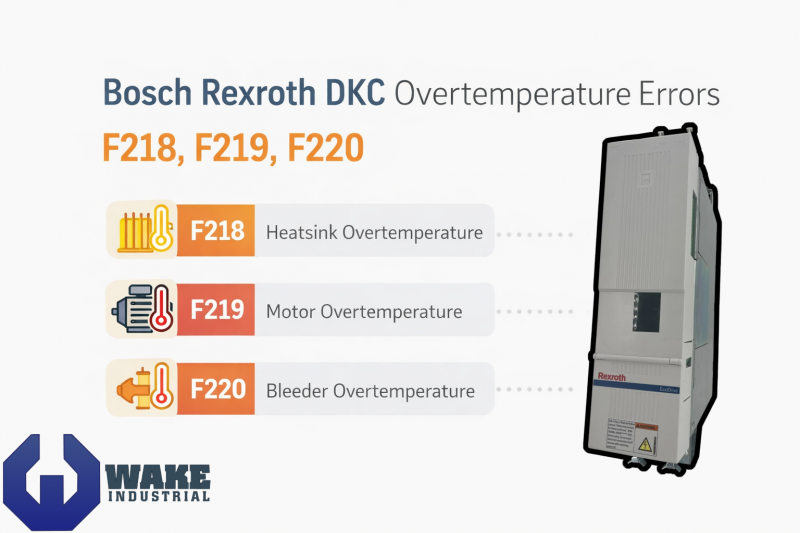
Bosch Rexroth Indramat ECODRIVE DKC series drives like the DKC11.3-100-7-FW are equipped with self-protection fault codes that trigger when overheating conditions occur. Three critical overtemperature errors – F218, F219, and F220 – will shut down the drive to prevent damage. Each of these fault codes corresponds to a different component overheating (drive controller heatsink, motor, or regenerative resistor) and has distinct causes and remedies. In this article, we explain what each error means, what causes it, how it differs from the others, and recommended fixes.
If you run into repeated errors, it may be time to service or replace your DKC drive. To get prompt expert help email sale@wakeindustrial.com or call (919) 443-0207 and speak with a Wake Industrial representative today.
F218 – Heatsink Overtemperature Shutdown
F218 indicates the DKC drive’s internal heatsink has exceeded its safe temperature limit, causing an emergency shutdown. In practice, the drive will turn itself off to protect its power electronics from thermal damage. The internal trip point is around 95 °C on the heatsink, though the drive’s specified ambient operating limit is 45 °C.
What causes it: This fault is usually due to overheating of the drive controller itself, often from external conditions or cooling issues. Common causes include:
- High ambient temperature: The control cabinet or environment is too hot, which can push the heatsink beyond safe temperatures.
- Poor ventilation or blocked airflow: Dust, dirt, or obstructions on the heatsink fins can prevent proper cooling. Similarly, if the drive is mounted without adequate clearance or if other components/cabinet walls block airflow, heat builds up.
- Failed cooling fan (blower): Many DKC drives have an internal fan on the heatsink. If this blower is defective or not running, the heatsink will overheat even under normal load.
- Cabinet cooling issues: Lack of air conditioning or a faulty cabinet fan can lead to heat accumulation. For example, leaving the cabinet door open might seem to help cooling, but it often leads to dust ingress that worsens overheating in the long run.
Recommended fixes: To clear F218, you must address the overheating of the drive unit. Key remedies include:
- Improve cooling and ambient conditions: Reduce the surrounding temperature or improve cabinet cooling. Ensure the cabinet AC or vent fans are working, or add cooling if necessary.
- Clean the heatsink and filters: Power off and inspect the drive’s heatsink fins for dust or debris. Carefully blow out or wipe away dust and remove any obstructions restricting airflow. Clean or replace cabinet air filters as well.
- Check installation and clearance: Verify the drive is mounted per manufacturer guidelines with sufficient clearance around heatsink vents. Rearrange nearby components if they block air circulation.
- Inspect/repair the internal fan: Confirm if the drive’s internal fan is spinning (you might hear or feel it). If the fan has failed, the drive will overheat quickly. In many cases the fan is integrated, so a failed blower may require exchanging or servicing the drive controller.
Additionally, avoid quick fixes like propping the cabinet door open or using a “box fan” to blow air over the drive. While this might provide temporary relief, it introduces dust/moisture and does not fix the underlying cooling issue, often making matters worse. It’s better to properly fix the cooling system or relocate the drive to a cooler environment.
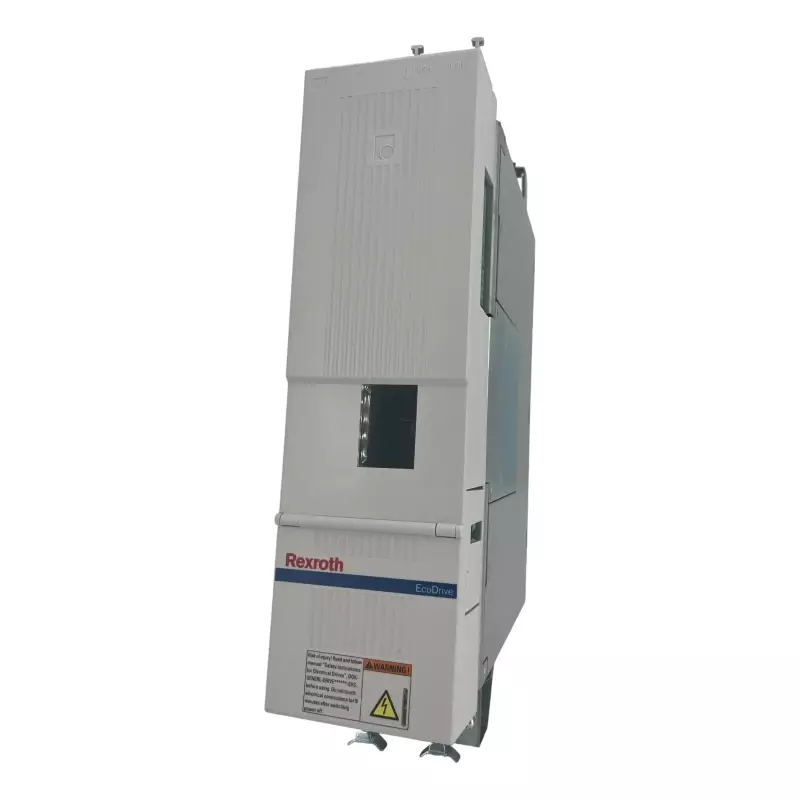
The DKC04.3-100-7-FW is a high-performance AC drive controller with a rated current of 100 A.
F219 – Motor Overtemperature Shutdown
F219 is triggered when the servo motor’s temperature sensor indicates the motor has exceeded its allowable temperature limit. In Indramat servomotors, an internal sensor (typically a PTC thermistor) trips at around 155 °C winding temperature, signaling the drive to shut down the motor immediately. The drive brings the axis to a standstill to protect the motor from burning up.
What causes it: F219 usually means the motor was running too hot for one of several reasons. Common causes include:
- Overload or excessive mechanical load: The motor was asked to deliver torque beyond its continuous rating for too long. For example, a jammed machine axis or an overly aggressive duty cycle (high speeds/torques without enough cool-down) can overheat the motor. If the motor has an external blower for cooling, a failure of that blower can also lead to overheating under load.
- High ambient or poor motor cooling: Even within normal operation, a very hot environment (e.g. >40 °C around the motor) or lack of airflow can reduce the motor’s ability to dissipate heat. Dirt on the motor or blocked ventilation openings also worsen heating.
- Faulty temperature sensor or wiring: A break, short, or ground fault in the motor’s temperature sensor circuit can erroneously trigger an overtemperature shutdown. The drive might see an “infinite” resistance (open circuit) or incorrect reading and interpret it as a thermal fault.
- Instability in the control loop (servo tuning issues): If the velocity or current loop is unstable (causing the motor to oscillate or draw excessive current), the motor can heat up rapidly. Poor tuning or a malfunction causing the motor to constantly hunt can lead to overheating even without a big external load.
Recommended fixes: To fix F219, you need to let the motor cool down and address the reason it overheated:
- Reduce the load or duty cycle: If the motor was overloaded, modify the application. This could mean reducing the continuous torque demand, slowing down the cycle, or adding a gearbox or larger motor. Ensure the motor is sized correctly for the task. The motor should not frequently exceed its continuous torque/current rating. After an overtemp, wait for the motor to cool before re-starting.
- Check the motor’s cooling and environment: Verify the ambient temperature around the motor is within spec, typically not above 40 °C for most servos. Clean any dust or oil from the motor surfaces and ensure cooling fans or blowers on the motor are working. If the motor relies on natural convection, improve airflow in that area or consider an added fan kit if appropriate.
- Inspect sensor wiring: Examine the motor’s temperature sensor cables for any disconnections, shorts to ground, or damage. A loose connector or broken wire to the thermistor can trigger false alarms. Repair any wiring issues and measure the sensor’s resistance to ensure it’s functioning within normal range.
- Verify servo tuning and stability: Check the drive’s velocity and torque loop parameters. Instability or oscillation can cause excessive heating. If the motor was oscillating or making high-pitched noises, you may need to retune the servo gains. Ensure the drive’s parameter settings match the motor. A stable, well-tuned system will avoid unneeded motor stress.
After taking corrective actions, reset the error (press the drive’s reset button S1 or cycle power) and monitor the motor temperature. If F219 recurs, it indicates the overheating issue is not resolved – continued operation in that state could permanently damage the motor. In such cases, consider seeking a professional evaluation or using a higher capacity motor for the application. If after corrective action, your drive or motor is still not functioning, contact Wake Industrial by emailing sales@wakeindustrial.com to get a quick quote for repair or replacement.

F220 – Bleeder Overtemperature Shutdown
F220 points to an overtemperature in the regenerative bleeder resistor (dynamic brake) of the drive. The bleeder resistor is the component that dissipates excess energy when the motor acts as a generator. If too much energy is fed back, the resistor heats up. F220 is triggered when the regen energy exceeds the resistor’s power dissipation capacity, causing the drive to shut down to protect the resistor from burning out. In short, the drive sensed that the braking resistor got too hot or was about to overheat, and it halted operation.
What causes it: The sole cause of F220 is excessive regenerative energy that the drive’s configured resistor cannot handle. Practical scenarios include:
- High-inertia loads stopping too quickly: If a large mass is being decelerated abruptly, the motor generates a surge of energy that dumps into the resistor. Exceeding the resistor’s wattage or joule rating will trip this fault.
- Frequent start/stop cycles or downhill loads: Applications with continuous braking might accumulate heat in the resistor faster than it can cool.
- Insufficient or failed resistor: If the drive relies on an internal bleeder resistor, it may be undersized for the application. In some cases an external resistor is used; if that resistor is not connected properly, has the wrong value, or has failed, the regen energy can’t be dissipated as needed, leading to overheating.
Recommended fixes: To resolve F220, you must limit the regenerative energy or increase the system’s capacity to handle it:
- Decrease deceleration rates (reduce braking power): If possible, lengthen the deceleration ramp in the motion controller or drive parameters. A gentler slowdown means the motor generates less power in the stop, avoiding resistor overload. Similarly, avoid abrupt stops or emergency stops in sequence that don’t allow any cool-down.
- Lower the maximum speed or energy of moves: The kinetic energy goes up with the square of speed. Slower moves or shorter travel distances mean less energy needs to be bled off when stopping. Evaluate if the application can run at a lower velocity or with more gradual braking without compromising production.
- Add or upgrade a regenerative resistor: Check if your drive has an external bleeder resistor option. Many DKC drives have internal resistors sized for moderate regen; heavy-duty applications often require an add-on resistor module. Installing a larger-capacity or actively cooled (forced-air) resistor can safely absorb more energy. Make sure any external resistor is correctly wired and the drive is parameterized to use it.
- Review the drive’s sizing: Ensure the drive model and its power rating are appropriate. If you consistently hit F220, you might be pushing the drive beyond its regen handling ability. A higher-rated drive or external braking chopper might be needed for your machine’s duty cycle. Also confirm the mechanical system is not forcing excessive energy back (e.g., a too-heavy counterweight or failed mechanism causing free-fall that the motor has to brake).
After implementing fixes, let the resistor cool down and then reset the fault. The drive will not resume until the temperature falls below the threshold. Going forward, monitor the DC bus and resistor temperature during braking. If F220 still occurs frequently, further action is needed to prevent downtime or resistor damage.
Bosch Rexroth DKC Overtemperature Errors Summary
|
Error Code |
Description |
Primary Cause |
One Potential Fix |
|
F218 |
Heatsink Overtemperature |
Poor airflow, high ambient temp, or failed fan |
Clean heatsink & improve cabinet cooling |
|
F219 |
Motor Overtemperature |
Motor overload or faulty temp sensor |
Check load & inspect motor temp wiring |
|
F220 |
Bleeder Overtemperature |
Excess regenerative energy during braking |
Reduce deceleration or add external resistor |
DKC Repair and Replace
Overtemperature faults F218, F219, and F220 on Bosch Rexroth DKC drives are protective shutdowns that should never be ignored. Each code pinpoints a different area – the drive, the motor, or the regen system – requiring targeted troubleshooting. By understanding their meanings and causes, you can take appropriate action. Preventive maintenance is key: keep fans and heatsinks clean, operate within specified environmental conditions, and size your system correctly to avoid these errors in the first place.
If an overtemperature fault has caused damage or if the issue cannot be resolved through adjustments, the affected unit may need professional repair or replacement. Wake Industrial is equipped to repair or replace damaged DKC drive controllers and related components, restoring your production with minimal downtime. To learn how Wake Industrial can assist you, call (919) 443-0207 or fill out the quote form on this page.
(However, please be aware that we cannot provide technical support or detailed troubleshooting advice for these errors via phone or email. )
Request a Quote

Cary, NC 27513












